
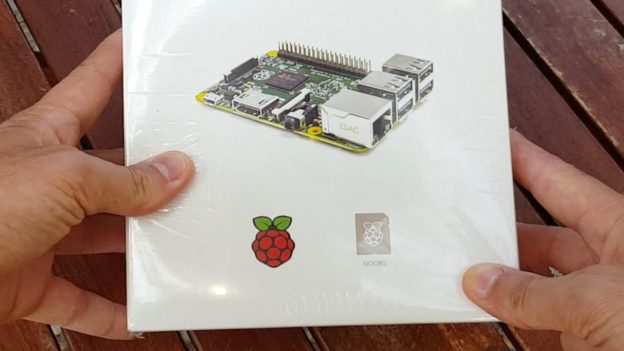
http://learn-share.net Raspberry Pi 2 B Starter Kit Unbox SSH VNC (Beginners Guide). In this video you will learn how to install the Noobs Package installer, to connect over SSH, and VNC. This is a box containing a Raspberry Pi 2. An SD card of 8 16 or 32GB. A Power supply of 2 Amps. HDMI cable, a Ethernet Cat 6 cable, and a Raspberry Pi enclosure.
➤ Watch next: Install Raspbian on SD card https://www.youtube.com/watch?v=xhZjpYQImck&list=PLQJGHOK40fH-E5Hxmq6A-iSYjSIvzRlAW&index=3
➤ Buy Raspberry Pi 2 http://amzn.to/2agNS77
– Raspberry Pi 2 B
– SD card 8/16/32GB
– Power Supply 2A
– HDMI Cable
– Ethernet Cat 6
– Box Enclosure
– CPU: Broadcom BCM2836 Quad-Core ARM Cortex-A7 at 0,9 GHz
– RAM : 1 GB SDRAM 400Mhz
– Graphics: VideoCore IV
– size: 85 x 56 mm
1. Download Noobs/Raspbian http://j.gs/8436075/downloadnoobs
SSH Mac OS.
ssh pi@ip-address
password: raspberry
VNC server Mac OS.
1. sudo apt-get install tightvncserver
2. tightvncserver
3. vncserver :1 -geometry 1920×1080 -depth 24
4. Download RealVNC http://j.gs/8436075/realvnc
SSH Windows.
1. Download Putty http://j.gs/8436075/putty
2. Type Pi IP Adress. User: pi Password: raspberry
Windows VNC server.
1. sudo apt-get install tightvncserver
2. tightvncserver
3. vncserver :1 -geometry 1920×1080 -depth 24
4. Download TightVNC http://j.gs/8436075/tightvnc
➤ Share this video:
Twitter: http://twitter.com/_learnshare
Google+: http://google.com/+lsLearnShare
Facebook: https://www.facebook.com/learnshare.net/
➤ Website: http://learn-share.net
➤ Save $$ in Computers/Gadgets: http://amzn.to/1HiYcWd
Project Cars? Subscribe here: http://learn-share.net/MarcsGtiChannel.php
Thanks for watching and remember to rate, like and Subscribe http://learn-share.net newsletter if you haven’t already.