
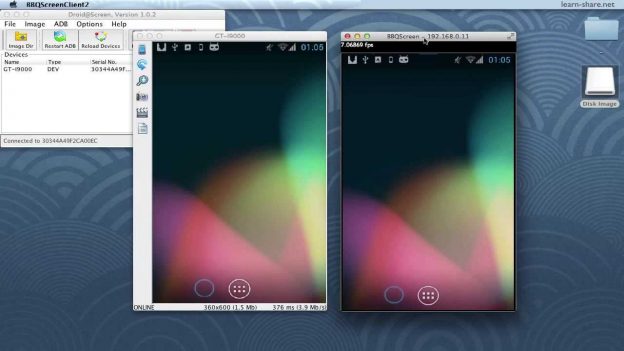
http://learn-share.net/bbqscreen-vs-droid-at-screen/ BBQscreen vs Droid@Screen. BBQScreen is the first app to show your phone’s screen on your computer between 30 and 60 images per second, with sound, and remote control (keyboard and mouse).
This another awesome software, MirrorOp, give it a try https://www.youtube.com/watch?v=pt3A1_5JNyY&list=PLQJGHOK40fH8qroWgylpfcW1e698-_EqQ&index=1
BBQScreen Our client app runs on Windows, Mac OS X and Linux.
(and soon Chromecast and Raspberry Pi)
http://adf.ly/8436075/bbqdroid
Show your Android device on a Computer With Droid@Screen.
Wacth: http://adf.ly/8436075/droid-at-screen
With Droid@Screen you can easily show the screen of an Android device on a computer/laptop (PC, Mac, Linux, …) and then project the desktop using a LCD-projector. Droid@Screen is used for training/teaching and demonstration purposes.
http://droid-at-screen.ribomation.com
Twitter: http://twitter.com/_learnshare
Google+: http://google.com/+lsLearnShare
Facebook: http://www.facebook.com/pages/learn-sharenet/1522020731365696
Thanks for watching all http://learn-share.net videos and tutorials! Remember to rate, like and subscribe if you haven’t already!